

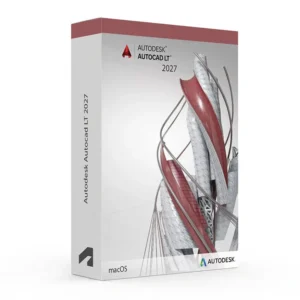
Autodesk AutoCAD LT 2024-2027 for Windows – UK Digital CAD Licence
Autodesk AutoCAD LT 2024-2027 for Windows is a professional 2D CAD drafting solution designed for users who need reliable tools for creating, editing, documenting and sharing precise 2D drawings and DWG files on a Windows PC. It is ideal for architects, engineers, designers, students, CAD technicians and professionals who need a streamlined AutoCAD workflow without the full 3D and specialised toolsets of standard AutoCAD.
AutoCAD LT for Windows provides a familiar AutoCAD drafting environment with tools for precision drawing, annotation, dimensions, layers, blocks, layouts, plotting and DWG file management. It is designed to help users create professional 2D technical drawings efficiently while maintaining compatibility with standard AutoCAD workflows.
For a complete design setup, you can also explore our Autodesk software, compare related AutoCAD products, or choose Autodesk AutoCAD 2027 for Windows if you need the full AutoCAD package with additional 3D and specialised toolsets.
Important Notice About AutoCAD LT 2024-2027 for Windows
Autodesk AutoCAD LT is designed primarily for professional 2D drafting and documentation. It provides a lighter CAD workflow than full AutoCAD and does not include the complete range of 3D modelling and specialised AutoCAD toolsets.
This product is suitable for personal learning, training and non-commercial CAD projects. If you need AutoCAD LT for commercial, professional or client work, make sure your licence type clearly allows commercial use.
Why Choose Autodesk AutoCAD LT 2024-2027 for Windows?
- Professional 2D CAD drafting software for Windows users
- Designed for technical drawings, plans, layouts and DWG documentation
- Familiar AutoCAD drafting environment for Windows PCs
- Useful for architects, engineers, designers, students and CAD technicians
- Create, edit and share industry-standard DWG files
- Includes precision drawing, annotation, dimensions, layers and layout tools
- Supports compatible 64-bit Windows systems
- Supports multiple AutoCAD LT versions from 2024 through 2027
- Lifetime access according to this product offer
- Digital delivery by email after order confirmation
- Activation instructions included
- Installation and activation support available when needed
Key Features of AutoCAD LT 2024-2027
- Professional 2D Drafting: Create accurate technical drawings, floor plans, layouts and engineering documentation using professional CAD drafting tools.
- DWG File Compatibility: Create, open, edit and share DWG files for reliable collaboration and drawing exchange.
- Precision Drawing Tools: Use object snaps, tracking, coordinates and precision drafting commands to create accurate geometry.
- Layers and Properties: Organise drawing objects using layers, colours, line types and object properties for efficient CAD documentation.
- Annotation and Dimensions: Add dimensions, text, leaders, notes and other annotations to communicate technical information clearly.
- Blocks and Reusable Content: Create and reuse blocks to speed up repetitive drawing tasks and maintain consistent documentation.
- Layouts and Viewports: Prepare professional drawing sheets with layouts, viewports, title blocks and plotting configurations.
- Hatching and Gradients: Apply hatch patterns and fills to communicate materials, areas and design information in 2D drawings.
- PDF Support: Publish drawings to PDF and use PDF information within supported CAD workflows for documentation and collaboration.
- Measurement Tools: Quickly measure distances, areas and other geometric information directly within drawings.
- Windows Workflow: Work with a Windows-focused AutoCAD interface and commands designed for professional CAD drafting.
- Drawing Collaboration: Share and exchange DWG drawings with other CAD users and maintain compatibility across supported AutoCAD workflows.
- AutoCAD LT Performance: Use a streamlined AutoCAD environment focused primarily on professional 2D drafting and documentation.
AutoCAD LT 2024-2027 for Windows vs AutoCAD 2024-2027, AutoCAD LT for Mac and Revit
Autodesk AutoCAD LT 2024-2027 for Windows is a strong choice for users who primarily need professional 2D CAD drafting on Windows. Full AutoCAD provides broader 2D and 3D capabilities and specialised toolsets, AutoCAD LT for Mac provides a similar lightweight workflow on macOS, while Revit is better suited for BIM-based building design and multidisciplinary coordination.
| Software | Best For | Main Use |
|---|---|---|
| AutoCAD LT 2024-2027 for Windows | Windows users, architects, engineers, designers and CAD technicians | 2D drafting, DWG editing, technical drawings, layouts, dimensions and documentation |
| AutoCAD 2024-2027 for Windows | CAD professionals requiring broader AutoCAD capabilities | 2D drafting, 3D modelling, DWG editing and specialised AutoCAD workflows |
| AutoCAD LT 2024-2027 for Mac | Mac users who need lightweight CAD | Professional 2D drafting, DWG editing, annotation and technical documentation |
| Autodesk Revit | Architects, engineers, BIM teams and construction professionals | BIM modelling, building information management and multidisciplinary coordination |
Which Software Should You Choose?
- Choose Autodesk AutoCAD LT 2024-2027 for Windows if you need professional 2D CAD drafting and DWG editing on a Windows PC.
- Choose Autodesk AutoCAD 2027 for Windows if you need broader AutoCAD capabilities including 3D modelling and specialised toolsets.
- Choose AutoCAD LT 2024-2027 for Mac if you prefer to work directly on macOS.
- Choose Autodesk Revit if your workflow is focused on BIM modelling and building coordination.
Recommended Products
- Autodesk Software – compare AutoCAD, Revit, 3ds Max, Maya, Inventor and other Autodesk tools.
- Autodesk AutoCAD – explore AutoCAD versions for Windows and macOS.
- Autodesk AutoCAD 2027 for Windows – recommended if you need the full AutoCAD environment.
- AutoCAD LT – suitable for lightweight professional 2D drafting and DWG editing.
- Autodesk Revit – suitable for BIM modelling, architecture and construction workflows.
- Windows Licences – suitable if you need a compatible Windows operating system.
- Microsoft Office – useful for project documents, spreadsheets, reports and client presentations.
System Requirements for Autodesk AutoCAD LT 2024-2027 for Windows
| Component | Requirement |
|---|---|
| Platform | Windows PC |
| Operating System | 64-bit Microsoft Windows. AutoCAD LT 2027 officially requires 64-bit Windows 11; AutoCAD LT 2024 supports Windows 11 and Windows 10 version 1809 or later. |
| Processor | Basic: 2.5–2.9 GHz processor; recommended: 3+ GHz processor base and 4+ GHz turbo. ARM processors are not supported. |
| Memory | Basic: 8 GB RAM; recommended: 16 GB RAM |
| Display | 1920 x 1080 with True Color; high-resolution and 4K displays supported with a compatible graphics card |
| Graphics | Basic: 1 GB GPU with 29 GB/s bandwidth and DirectX 11; recommended: 4 GB GPU with 106 GB/s bandwidth and DirectX 12 |
| Storage | 10 GB available disk space; SSD recommended |
| .NET | AutoCAD LT 2027 requires Microsoft .NET 10; earlier versions have different .NET requirements |
| Pointing Device | MS-Mouse compliant pointing device |
| Internet | Required for download, installation, sign-in, activation, updates and Autodesk account access |
The exact requirements vary by release. Autodesk’s official documentation lists separate requirements for AutoCAD LT 2024 through 2027. For example, LT 2024 supports Windows 11 and Windows 10 1809+, while LT 2027 requires 64-bit Windows 11. :contentReference[oaicite:0]{index=0}
Delivery and Activation
- Product: Autodesk AutoCAD LT 2024-2027 for Windows
- Platform: Windows PC
- Licence Type: Digital licence
- Use Type: Educational, personal and non-commercial use
- Licence Duration: Lifetime access according to this product offer
- Version Range: AutoCAD LT 2024, 2025, 2026 and 2027
- Delivery Method: Digital delivery by email
- Activation: Activation instructions provided after purchase
- Support: Installation and activation assistance available
How to Get Started
- Complete your order for Autodesk AutoCAD LT 2024-2027 for Windows.
- Receive your product details and activation instructions by email.
- Confirm that your Windows PC meets the requirements for the selected AutoCAD LT version.
- Download and install the appropriate AutoCAD LT version on your Windows computer.
- Sign in with the Autodesk account or activation method provided with your order.
- Follow the activation instructions to complete setup.
- Restart AutoCAD LT if required and begin creating your 2D CAD drawings.
- Contact our support team if you need help with installation or activation.
Who Is Autodesk AutoCAD LT 2024-2027 for Windows For?
- Architecture students and professionals
- Engineering students and technical designers
- CAD technicians and drafting users
- Interior designers and construction drawing users
- Users who need professional 2D DWG drawings on Windows
- Users working with plans, layouts, dimensions and technical documentation
- Users who prefer a streamlined AutoCAD drafting workflow on Windows
Important Licence Information
This Autodesk AutoCAD LT 2024-2027 for Windows licence is intended for educational, personal and non-commercial use. It is suitable for learning, training and personal 2D CAD projects. It should not be used for commercial, professional or client work unless your licence type clearly allows commercial use.
AutoCAD LT is focused on 2D drafting and documentation and does not provide the complete range of 3D modelling and specialised toolsets available in full AutoCAD. Before purchasing, please make sure your Windows PC is compatible with the selected AutoCAD LT version and that this licence type matches your intended use.
What is Autodesk AutoCAD LT 2024-2027 for Windows?
Autodesk AutoCAD LT 2024-2027 for Windows is professional 2D CAD drafting software designed for creating, editing and documenting DWG drawings, technical plans, layouts and other 2D CAD projects on Windows PCs.
Does AutoCAD LT 2024-2027 work on Windows?
Yes. AutoCAD LT is available for Windows, with version-specific system requirements for AutoCAD LT 2024, 2025, 2026 and 2027.
What versions are included in AutoCAD LT 2024-2027 for Windows?
This product offer covers AutoCAD LT versions 2024, 2025, 2026 and 2027, subject to the version and activation method supplied with your order.
Is AutoCAD LT 2024-2027 for Windows suitable for 2D drafting?
Yes. AutoCAD LT is primarily designed for professional 2D drafting, documentation, DWG editing, annotation, dimensions, layouts and technical drawings.
What is the difference between AutoCAD and AutoCAD LT?
AutoCAD LT is a streamlined CAD solution focused primarily on professional 2D drafting and documentation. Full AutoCAD provides a broader feature set, including additional 3D capabilities and specialised toolsets.
Can I use AutoCAD LT for 3D modelling?
AutoCAD LT is primarily intended for 2D drafting and documentation and does not provide the full 3D modelling capabilities of standard AutoCAD.
Can AutoCAD LT for Windows open DWG files?
Yes. DWG is the primary drawing format used by AutoCAD and AutoCAD LT, allowing users to create, open, edit and share compatible CAD drawings.
Does AutoCAD LT 2024-2027 support Windows 11?
Yes. AutoCAD LT 2024 supports compatible Windows 11 systems, and AutoCAD LT 2027 officially requires 64-bit Windows 11. Always check the requirements for the exact version you intend to install. :contentReference[oaicite:1]{index=1}
Does AutoCAD LT 2024 work on Windows 10?
Yes. Autodesk lists Windows 10 version 1809 or later as supported for AutoCAD LT 2024, subject to Autodesk’s product support lifecycle. :contentReference[oaicite:2]{index=2}
Does AutoCAD LT 2024-2027 work on Mac?
AutoCAD LT is also available for Mac, but this particular product is intended for Windows users and should be installed on a compatible Windows PC.
Can I use this licence for commercial projects?
This product is described as an educational licence for personal, learning and non-commercial use. Commercial use requires a licence type that allows commercial work.
How will I receive my AutoCAD LT 2024-2027 for Windows licence?
Your product details and activation instructions will be delivered digitally by email after order confirmation.
Do you provide installation support?
Yes. Installation and activation support is available if you need help setting up Autodesk AutoCAD LT 2024-2027 for Windows.





Reviews
There are no reviews yet.