
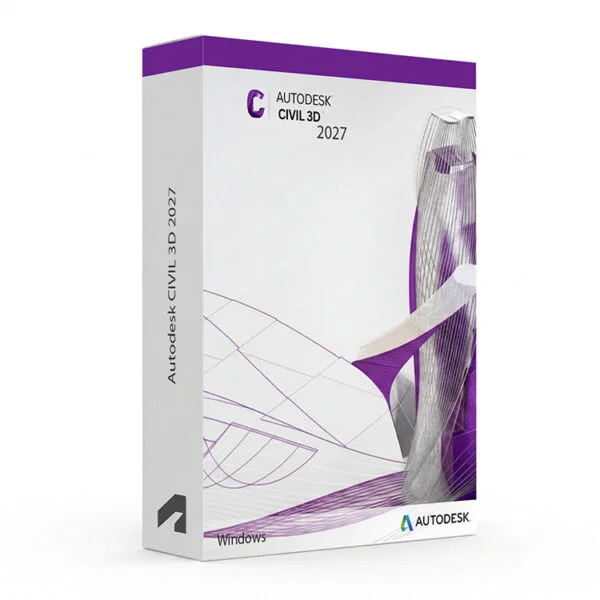
Autodesk Civil 3D 2024–2027 for Windows – Digital Civil Engineering Licence
Autodesk Civil 3D 2024–2027 for Windows is professional civil engineering and infrastructure design software designed for civil engineers, surveyors, transportation designers, land developers, contractors and infrastructure professionals. Civil 3D provides an integrated environment for surveying, terrain modelling, road design, grading, drainage, utilities, construction documentation and civil infrastructure projects on Windows PCs.
With Autodesk Civil 3D, users can create intelligent civil engineering models that connect design elements, surfaces, alignments, profiles, corridors, pipe networks and construction documentation. Changes to the design can be coordinated throughout the project, helping users maintain accurate drawings and reduce repetitive work during the design process.
This product covers Autodesk Civil 3D versions 2024, 2025, 2026 and 2027. The exact version supplied depends on the option selected when placing your order.
Important Notice About Autodesk Civil 3D 2024–2027
Autodesk Civil 3D is designed for Windows computers and is not available as a native macOS application. Before purchasing, make sure your Windows PC meets the system requirements for the specific Civil 3D version you intend to install.
System requirements can vary between Civil 3D releases. Large terrain surfaces, complex corridors, large point clouds and extensive infrastructure projects may require additional RAM, processing power, graphics performance and storage.
Why Choose Autodesk Civil 3D?
- Professional civil engineering and infrastructure design software for Windows
- Designed for roads, highways, land development, surveying and infrastructure projects
- Intelligent surface and terrain modelling tools
- Advanced alignment and profile design capabilities
- Corridor modelling for roads and transportation infrastructure
- Grading tools for land development and site design
- Pipe network and pressure network design tools
- Surveying and point management workflows
- Automated plan production and construction documentation
- Quantity takeoff and material calculation capabilities
- Integration with AutoCAD-based drafting workflows
- Support for professional civil engineering project workflows
- Digital delivery with activation instructions
- Installation and activation support available when required
Key Features of Autodesk Civil 3D
- Surface Modelling: Create and manage detailed existing and proposed terrain surfaces using survey points, contours, breaklines and other source data.
- Surveying Tools: Import, organise and process survey data, points and field information for use in civil engineering and land development projects.
- Alignments: Create horizontal alignments for roads, railways and other linear infrastructure using precise geometry and design criteria.
- Profiles: Create existing ground and proposed profiles to analyse and design vertical geometry for roads and other infrastructure.
- Corridor Modelling: Build intelligent 3D corridor models for roads, highways and other linear infrastructure using alignments, profiles and assemblies.
- Assemblies and Subassemblies: Define typical road and infrastructure sections using configurable assemblies and subassemblies for corridor design.
- Grading: Create grading designs for building sites, parking areas, embankments, drainage areas and other land development projects.
- Pipe Networks: Design and document stormwater, sanitary sewer and other gravity pipe systems using intelligent network components.
- Pressure Networks: Model pressure-based infrastructure such as water distribution networks using pipes, fittings and related components.
- Quantity Takeoff: Calculate quantities and materials associated with civil engineering designs to support estimating and construction workflows.
- Plan Production: Create plan, profile and construction documentation using automated sheet and view workflows.
- Point Clouds and Terrain Data: Work with large survey and terrain datasets to support existing-condition modelling and infrastructure design.
- Interoperability: Exchange data with compatible Autodesk products and other civil engineering applications using supported file formats and workflows.
- Dynamic Design: Maintain relationships between civil objects so that design changes can update connected project elements throughout the model.
Civil 3D vs AutoCAD, Revit, InfraWorks and MicroStation
Autodesk Civil 3D is specifically focused on civil engineering and infrastructure design. AutoCAD is a general-purpose CAD platform for drafting and design, Revit is primarily focused on BIM for buildings, InfraWorks is designed for conceptual infrastructure planning and context modelling, while MicroStation is another professional CAD platform widely used for infrastructure and engineering workflows.
| Software | Best For | Main Use |
|---|---|---|
| Autodesk Civil 3D | Civil engineers, surveyors and infrastructure designers | Road design, terrain modelling, surveying, grading, drainage, utilities and civil documentation |
| Autodesk AutoCAD | CAD professionals, engineers and designers | 2D drafting, technical drawings and general CAD design |
| Autodesk Revit | Architects, structural engineers and MEP professionals | BIM-based building design, documentation and multidisciplinary coordination |
| Autodesk InfraWorks | Infrastructure planners and civil design professionals | Conceptual infrastructure planning, context modelling and preliminary design |
| MicroStation | Infrastructure and engineering professionals | CAD design, engineering documentation and infrastructure project workflows |
Which Software Should You Choose?
- Choose Autodesk Civil 3D if you need professional tools for civil engineering, surveying, road design, grading, drainage and infrastructure projects.
- Choose Autodesk AutoCAD if your primary requirement is general 2D drafting or CAD design.
- Choose Autodesk Revit if you need BIM software for architectural, structural or MEP building design.
- Choose Autodesk InfraWorks if your focus is conceptual infrastructure planning and large-scale context modelling.
- Choose MicroStation if you need an alternative CAD platform for engineering and infrastructure workflows.
Recommended Products
- Autodesk Software – explore AutoCAD, Revit, Civil 3D, 3ds Max and other Autodesk products.
- Autodesk Civil 3D – explore available Civil 3D versions for Windows.
- Autodesk AutoCAD – suitable for general CAD drafting and technical design.
- Autodesk Revit – suitable for BIM-based building design and documentation.
System Requirements for Autodesk Civil 3D
System requirements can vary between Civil 3D releases. Make sure your Windows computer meets the requirements for the exact version selected before installation.
| Component | Recommended Requirement |
|---|---|
| Platform | Windows PC |
| Operating System | Compatible 64-bit Microsoft Windows version supported by the selected Civil 3D release |
| Processor | 64-bit Intel or AMD multi-core processor; a high clock speed is recommended for complex civil engineering projects |
| Memory | 16 GB RAM or more recommended; larger surfaces and complex infrastructure projects may require additional memory |
| Display | 1920 × 1080 display or higher recommended |
| Graphics | Dedicated DirectX-compatible graphics card recommended for professional viewport performance |
| Storage | SSD recommended, with sufficient free space for Civil 3D, project files, terrain datasets and cache |
| Pointing Device | Three-button mouse recommended for efficient CAD navigation and modelling |
| Internet | Internet connection may be required for download, installation, sign-in, activation, updates and Autodesk account access depending on the licence type |
Delivery and Activation
- Product: Autodesk Civil 3D 2024–2027 for Windows
- Platform: Windows PC
- Licence Type: Digital licence according to the selected product offer
- Version: 2024, 2025, 2026 or 2027 according to the selected option
- Delivery Method: Digital delivery by email
- Activation: Activation instructions provided after purchase
- Support: Installation and activation assistance available when required
How to Get Started
- Complete your order for the selected Autodesk Civil 3D version.
- Receive your product details and activation instructions by email.
- Check that your Windows computer meets the requirements for your selected version.
- Download the appropriate Civil 3D installer.
- Install Autodesk Civil 3D on your compatible Windows computer.
- Sign in with the Autodesk account or use the activation method supplied with your order.
- Follow the provided activation instructions to complete the setup.
- Launch Civil 3D and begin your civil engineering or infrastructure project.
- Contact our support team if you require assistance with installation or activation.
Who Is Autodesk Civil 3D For?
- Civil engineers
- Surveyors and land survey professionals
- Transportation and highway designers
- Land development professionals
- Infrastructure designers
- Drainage and utility engineers
- Construction professionals and contractors
- Civil engineering students and learners
- BIM and infrastructure design professionals
- Users who need professional civil engineering and infrastructure design tools on Windows
Important Licence Information
Please review the licence type, usage rights and activation conditions included with the specific product offer before purchasing. Licence rights can vary depending on the edition, activation method and intended use.
This product should only be used in accordance with the applicable Autodesk licence terms and the rights provided with your purchase. Commercial, educational, personal and other licence types may have different usage restrictions.
Before purchasing, please make sure that the selected Civil 3D version and licence type meet your intended use and that your Windows computer is compatible with the software.
What is Autodesk Civil 3D?
Autodesk Civil 3D is professional civil engineering and infrastructure design software used for surveying, terrain modelling, road design, grading, drainage, utilities, construction documentation and other civil engineering workflows.
Which versions of Civil 3D are available?
This product offer covers Autodesk Civil 3D versions 2024, 2025, 2026 and 2027. The exact version supplied depends on the option selected when placing the order.
Does Civil 3D work on Windows 11?
Compatible Autodesk Civil 3D releases support supported 64-bit Windows 11 configurations. Please check the system requirements for the exact version before installation.
Does Civil 3D work on Windows 10?
Windows 10 compatibility depends on the specific Civil 3D release. Please check the official requirements for the version you intend to install.
Does Autodesk Civil 3D work on Mac?
Civil 3D is designed for Windows and is not available as a native macOS application.
Can Civil 3D be used for road design?
Yes. Civil 3D provides alignments, profiles, assemblies, corridors and other tools designed for road and transportation infrastructure design.
Can Civil 3D be used for surveying?
Yes. Civil 3D includes tools for importing, managing and using survey points and terrain data within civil engineering projects.
Can Civil 3D be used for land development?
Yes. Civil 3D provides surfaces, grading, alignments, profiles, pipe networks and documentation tools that can be used for land development projects.
What is a corridor in Civil 3D?
A corridor is an intelligent 3D model used to represent linear infrastructure such as roads. It combines alignments, profiles, assemblies and other design information to create a detailed proposed model.
Can I use this product for commercial projects?
Commercial usage depends on the licence type supplied with the specific product offer. Please verify the licence terms before using the software for commercial or client work.
How will I receive my product?
Product details and activation instructions are delivered digitally by email after order confirmation, according to the terms of the selected offer.
Do you provide installation support?
Yes. Installation and activation assistance is available if you need help setting up Autodesk Civil 3D on your compatible Windows computer.





Reviews
There are no reviews yet.