
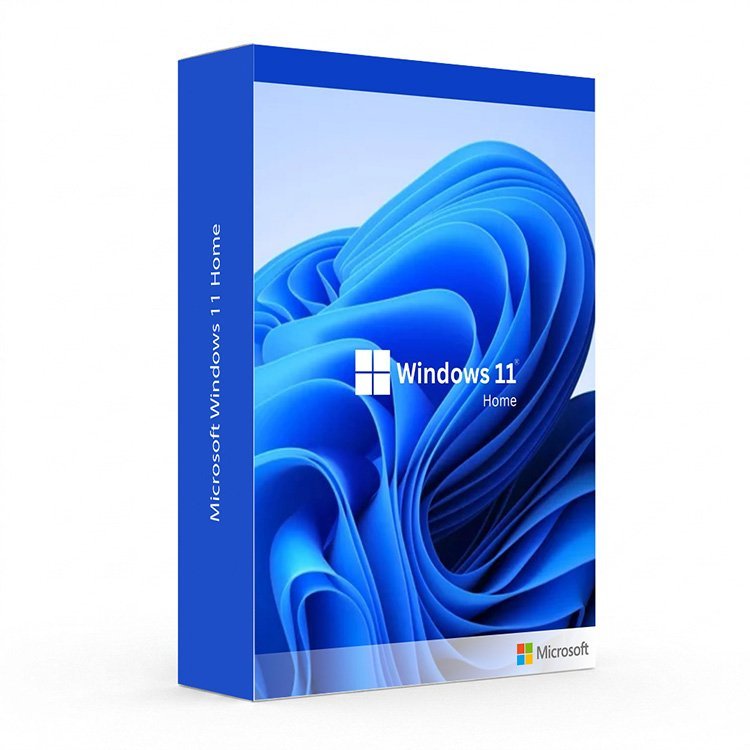
What Is the Microsoft Windows 11 Home Key?
The Microsoft Windows 11 Home Key is your gateway to the latest and most secure version of Microsoft’s flagship operating system. Designed for everyday home users, students, creatives, and remote workers, Windows 11 Home delivers a faster, cleaner, and more intuitive computing experience straight out of the box. Whether you are upgrading from Windows 10 or setting up a brand new PC, your Microsoft Windows 11 Home Key activates directly with Microsoft for a fully genuine, fully supported installation.
Why Buy Your Microsoft Windows 11 Home Key From Us?
At Digi Union, we have been supplying genuine software licence keys to customers across the UK for over two decades. Every Microsoft Windows 11 Home Key we sell is 100% authentic, Microsoft-activated, and backed by our satisfaction guarantee. No physical shipping, no waiting — your key is delivered instantly to your inbox the moment your payment is confirmed.
- Instant Digital Delivery: Receive your Microsoft Windows 11 Home Key by email within minutes of purchase — available 24 hours a day, 7 days a week.
- Genuine Microsoft Licence: Every key is verified and activated directly on Microsoft’s servers, giving you a fully legitimate installation with access to all Windows Updates and Microsoft Support.
- Best Price in the UK: We offer the most competitive prices on genuine software keys, with no hidden fees and no subscriptions.
- Expert Support: Our team is on hand to help you with installation, activation, and any questions you have after purchase.
Key Features of Windows 11 Home
- Microsoft Copilot (Built-In AI): Your intelligent AI assistant lives right on the taskbar, helping you write, summarise, search the web, and manage your PC settings — all with a single click.
- Snap Layouts and Snap Groups: Organise your open windows into smart grid layouts with a single hover. Snap Groups remember your arrangements so you can switch between tasks instantly without losing your workflow.
- Windows Hello (Biometric Sign-In): Log in securely using facial recognition or fingerprint authentication — faster and more secure than any password.
- DirectStorage: Next-generation gaming technology that streams assets directly from your NVMe SSD to your GPU, dramatically reducing game load times on compatible hardware.
- Auto HDR: Automatically upgrades the colour and brightness range of thousands of DirectX games on HDR-capable displays, delivering a richer visual experience with zero effort.
- Virtual Desktops: Create multiple separate desktops for different purposes — work, gaming, personal browsing — and switch between them in a single click.
- Widgets Panel: A personalised, glanceable dashboard showing news, weather, calendar events, sports scores, and more — all tailored to your interests.
- Microsoft Store: A redesigned app store with a broader catalogue including Android apps via the Amazon Appstore, giving you access to more software than ever before.
- TPM 2.0 and Secure Boot: Hardware-level security built in from the ground up, making Windows 11 Home the most secure consumer version of Windows ever released.
- Enhanced Touch and Pen Support: Refined touch gestures, an improved on-screen keyboard, and better handwriting recognition make Windows 11 Home ideal for tablets and 2-in-1 devices.
Windows 11 Home vs. Other Windows Editions
| Feature | Windows 11 Home | Windows 11 Pro | Windows 11 Enterprise |
|---|---|---|---|
| Microsoft Copilot | Yes | Yes | Yes |
| Snap Layouts and Virtual Desktops | Yes | Yes | Yes |
| Windows Hello | Yes | Yes | Yes |
| DirectStorage and Auto HDR | Yes | Yes | Yes |
| BitLocker Drive Encryption | No | Yes | Yes |
| Remote Desktop Hosting | No | Yes | Yes |
| Hyper-V Virtualization | No | Yes | Yes |
| Group Policy Management | No | Yes | Yes |
| Windows Sandbox | No | Yes | Yes |
| Advanced Threat Protection | No | No | Yes |
| Maximum RAM Support | 128 GB | 2 TB | 2 TB |
System Requirements
| Component | Minimum Requirement |
|---|---|
| Processor | 1 GHz or faster, 2 or more cores, compatible 64-bit CPU or SoC |
| RAM | 4 GB |
| Storage | 64 GB available disk space |
| Graphics | DirectX 12 compatible graphics card, WDDM 2.0 driver |
| System Firmware | UEFI, Secure Boot capable |
| TPM | Trusted Platform Module (TPM) version 2.0 |
| Display | 720p HD display, 9 inches or larger, 8-bit colour |
| Internet Connection | Required for initial setup and Microsoft account sign-in |
How to Activate Your Microsoft Windows 11 Home Key
- Complete your purchase and check your email inbox for your Microsoft Windows 11 Home Key — delivery is instant.
- Check your PC meets the minimum system requirements using the free PC Health Check tool available from Microsoft.
- If upgrading from Windows 10, open Settings, go to Windows Update, and follow the on-screen upgrade prompts — your files and apps will be preserved throughout.
- For a clean installation, download the Windows 11 Installation Media Tool from Microsoft’s official website and create a bootable USB drive.
- Boot from the USB drive, select your language and region, and follow the guided setup wizard.
- When prompted, enter your Microsoft Windows 11 Home Key to activate your licence directly with Microsoft.
- Sign in with your Microsoft account, configure your preferences, and run Windows Update to install the latest security patches and drivers.
Pair Windows 11 Home With Microsoft Office
Make the most of your new operating system by combining your Microsoft Windows 11 Home Key with a genuine Microsoft Office licence. From Word and Excel to PowerPoint and Outlook, we offer the full range of Office editions at the UK’s best prices — all with instant digital delivery.
Looking for a More Powerful Edition?
If your needs go beyond everyday home use, explore our full range of Windows 11 editions. Power users and small businesses will find everything they need in Windows 11 Pro, while large organisations requiring advanced security, compliance, and management tools should consider Windows 11 Enterprise. Customers whose hardware does not meet Windows 11 requirements can browse our range of Windows 10 licences as a reliable alternative.
Is the Microsoft Windows 11 Home Key I receive genuine?
Yes. Every Microsoft Windows 11 Home Key sold at Digi Union is 100% genuine and Microsoft-authorised. Your key activates directly on Microsoft’s servers, giving you a fully legitimate, fully supported installation with access to all Windows Updates and Microsoft customer support.
How will I receive my Microsoft Windows 11 Home Key?
Your key is delivered instantly to your email address upon confirmed payment. There is no physical shipping and no waiting — you can begin your installation within minutes of completing your purchase, 24 hours a day, 7 days a week.
Can I upgrade from Windows 10 to Windows 11 Home using this key?
Yes. If your PC meets the Windows 11 hardware requirements, you can use your Microsoft Windows 11 Home Key to upgrade directly from Windows 10, with your files and installed applications preserved. If your hardware does not qualify, browse our Windows 10 licences as an alternative.
What is the difference between Windows 11 Home and Windows 11 Pro?
Windows 11 Home covers everything the average user needs — Copilot AI, gaming features, Snap Layouts, Windows Hello, and more. Windows 11 Pro adds business tools including BitLocker encryption, Remote Desktop hosting, Hyper-V, Windows Sandbox, and domain or Azure Active Directory join.
Can I use my Microsoft Windows 11 Home Key on more than one PC?
No. A standard Windows 11 Home retail licence is valid for activation on one PC at a time. If you need to install Windows on multiple machines, you will need a separate licence key for each device. Contact us if you require volume or multi-seat licensing.
Does Windows 11 Home require a Microsoft account?
Yes. Unlike Windows 11 Pro, Windows 11 Home requires a Microsoft account to complete the initial setup. This enables features such as OneDrive backup, the Microsoft Store, cross-device sync, and Find My Device. A local account can be configured after setup if preferred.
Is Microsoft Office included with my Windows 11 Home Key?
No. Microsoft Office is not included with Windows 11 Home and must be purchased separately. Visit our Microsoft Office page to find the right Office edition at the best UK price, with instant digital delivery included.


Reviews
There are no reviews yet.