
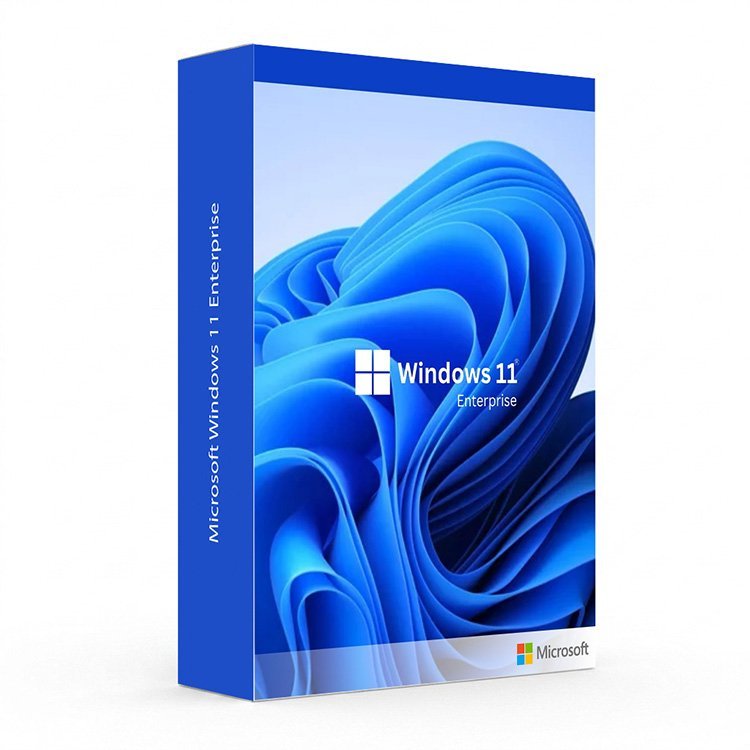
What Is the Microsoft Windows 11 Enterprise Key?
The Microsoft Windows 11 Enterprise Key is the most advanced and feature-complete edition of Microsoft’s flagship operating system, purpose-built for large organisations, IT administrators, and businesses that demand the highest levels of security, control, and compliance. Whether you are managing a fleet of corporate devices, enforcing strict data protection policies, or deploying Windows at scale across your organisation, the Microsoft Windows 11 Enterprise Key gives you every tool you need to do it securely and efficiently. For smaller teams and individual professionals, explore our Windows 11 Pro and Windows 11 Home editions.
Why Buy Your Microsoft Windows 11 Enterprise Key From Us?
At Digi Union, we have been supplying genuine software licence keys to businesses and organisations across the UK for over two decades. Every Microsoft Windows 11 Enterprise Key we sell is 100% authentic, Microsoft-activated, and backed by our satisfaction guarantee. No physical shipping, no waiting — your key is delivered instantly to your inbox the moment your payment is confirmed.
- Instant Digital Delivery: Receive your Microsoft Windows 11 Enterprise Key by email within minutes of purchase — available 24 hours a day, 7 days a week.
- Genuine Microsoft Licence: Every key is verified and activated directly on Microsoft’s servers, giving you a fully legitimate installation with access to all Windows Updates and Microsoft enterprise support.
- Best Price in the UK: We offer the most competitive prices on genuine enterprise software keys, with no hidden fees and no unnecessary add-ons.
- Expert Support: Our team is on hand to assist with deployment, activation, and any licensing questions you have after purchase.
Key Features of Windows 11 Enterprise
- Microsoft Defender Credential Guard: Isolates and protects authentication credentials using virtualisation-based security, preventing credential theft attacks such as Pass-the-Hash and Pass-the-Ticket.
- Microsoft Defender Application Guard: Opens untrusted websites and files in an isolated, hardware-based container, keeping your corporate network and data safe from browser-based threats.
- Windows Defender Application Control (WDAC): Enforce strict policies on which applications and drivers are permitted to run on your corporate devices, reducing the attack surface across your entire organisation.
- BitLocker and BitLocker To Go: Full-disk and removable media encryption to protect sensitive business data at rest — even if a device is lost, stolen, or decommissioned.
- DirectAccess: Allow remote employees to connect securely to your corporate network without a traditional VPN, with seamless, always-on connectivity managed centrally by IT.
- AppLocker: Define and enforce rules that control which users can run specific applications, scripts, Windows Installer files, and packaged apps across your organisation.
- Windows To Go (Legacy Support): Deploy a fully managed Windows environment on a bootable USB drive for flexible, secure working across multiple devices.
- Microsoft Copilot for Enterprise: Built-in AI assistant with enterprise-grade data privacy and compliance, helping employees work smarter without compromising sensitive business information.
- Universal Print: A cloud-based print solution that eliminates the need for on-premises print servers, simplifying print management across distributed organisations.
- Advanced Group Policy and MDM Management: Granular control over every aspect of your device fleet using Group Policy, Microsoft Intune, or third-party Mobile Device Management solutions.
- Azure Active Directory Premium Integration: Seamlessly join devices to Azure AD with Single Sign-On, Conditional Access, and Multi-Factor Authentication for enterprise identity management at scale.
- Long-Term Servicing Channel (LTSC): Deploy Windows 11 Enterprise on mission-critical systems with a long-term, stable update channel that minimises disruption to essential operations.
- Virtualisation-Based Security (VBS): Uses hardware virtualisation to create an isolated, secure region of memory, protecting critical system and security assets from malware and advanced persistent threats.
Windows 11 Enterprise vs. Other Windows Editions
| Feature | Windows 11 Home | Windows 11 Pro | Windows 11 Enterprise |
|---|---|---|---|
| Microsoft Copilot | Yes | Yes | Yes (Enterprise-grade) |
| BitLocker Encryption | No | Yes | Yes |
| Remote Desktop Hosting | No | Yes | Yes |
| Hyper-V Virtualization | No | Yes | Yes |
| Windows Sandbox | No | Yes | Yes |
| Credential Guard | No | No | Yes |
| Application Guard | No | No | Yes |
| AppLocker | No | No | Yes |
| DirectAccess | No | No | Yes |
| LTSC Support | No | No | Yes |
| Virtualisation-Based Security | No | No | Yes |
| Maximum RAM Support | 128 GB | 2 TB | 2 TB |
System Requirements
| Component | Minimum Requirement |
|---|---|
| Processor | 1 GHz or faster, 2 or more cores, compatible 64-bit CPU or SoC |
| RAM | 4 GB (8 GB or more recommended for enterprise workloads) |
| Storage | 64 GB available disk space |
| Graphics | DirectX 12 compatible graphics card, WDDM 2.0 driver |
| System Firmware | UEFI, Secure Boot capable |
| TPM | Trusted Platform Module (TPM) version 2.0 |
| Display | 720p HD display, 9 inches or larger, 8-bit colour |
| Internet Connection | Required for activation, updates, and Azure AD services |
How to Activate Your Microsoft Windows 11 Enterprise Key
- Complete your purchase and check your email inbox for your Microsoft Windows 11 Enterprise Key — delivery is instant.
- Verify that your devices meet the minimum system requirements using Microsoft’s PC Health Check tool.
- For a clean installation, download the Windows 11 Enterprise ISO from the Microsoft Volume Licensing Service Centre (VLSC) or your account portal.
- Create a bootable USB drive using the Windows Media Creation Tool or a third-party tool such as Rufus.
- Boot from the USB drive on your target machine and follow the guided setup wizard.
- When prompted, enter your Microsoft Windows 11 Enterprise Key to activate your licence directly with Microsoft.
- Join the device to your Azure Active Directory or on-premises domain, apply your Group Policy settings, and enrol in Microsoft Intune if required.
- Run Windows Update to install the latest security patches and configure your update policy according to your organisation’s servicing channel preference.
Complete Your Microsoft Software Stack
Maximise productivity across your organisation by pairing your Microsoft Windows 11 Enterprise Key with a genuine Microsoft Office licence. From Microsoft 365 Business to Office 2021, we offer the full range of Office editions at the UK’s most competitive prices — all with instant digital delivery. Browse our complete range of Windows 11 editions and Windows 10 licences to cover every device in your organisation.
Is the Microsoft Windows 11 Enterprise Key I receive genuine?
Yes. Every Microsoft Windows 11 Enterprise Key sold at Digi Union is 100% genuine and Microsoft-authorised. Your key activates directly on Microsoft’s servers, giving you a fully legitimate, fully supported installation with access to all Windows Updates, security patches, and Microsoft enterprise support channels.
How will I receive my Microsoft Windows 11 Enterprise Key?
Your Microsoft Windows 11 Enterprise Key is delivered instantly to your email address upon confirmed payment. There is no physical shipping and no waiting — you can begin your deployment within minutes of completing your purchase, 24 hours a day, 7 days a week.
What is the difference between Windows 11 Enterprise and Windows 11 Pro?
Both editions include BitLocker, Remote Desktop, Hyper-V, and Windows Sandbox. Windows 11 Enterprise adds advanced security features including Credential Guard, Application Guard, AppLocker, DirectAccess, Virtualisation-Based Security, and Long-Term Servicing Channel support — making it the right choice for large organisations with strict security and compliance requirements. For smaller teams, explore our Windows 11 Pro page.
Does Windows 11 Enterprise require volume licensing?
Windows 11 Enterprise is typically licensed through Microsoft Volume Licensing programmes such as Microsoft Open, Select, or Enterprise Agreement. Individual keys are available for smaller deployments. Contact our team if you need guidance on the right licensing model for your organisation’s size and requirements.
Can I upgrade from Windows 11 Pro to Windows 11 Enterprise?
Yes. You can upgrade from Windows 11 Pro to Windows 11 Enterprise without reinstalling the operating system. The upgrade is performed in-place, preserving your files, applications, and settings while unlocking the full suite of enterprise features.
Is Microsoft Office included with the Microsoft Windows 11 Enterprise Key?
No. Microsoft Office is not included with Windows 11 Enterprise and must be licensed separately. Visit our Microsoft Office page to find the right Office or Microsoft 365 edition for your organisation at the best UK price, with instant digital delivery included.
What is the Long-Term Servicing Channel (LTSC) in Windows 11 Enterprise?
The Long-Term Servicing Channel is a specialised update track available exclusively in Windows 11 Enterprise, designed for mission-critical and specialised systems such as medical equipment, ATMs, and industrial control systems. LTSC releases receive security updates for up to 10 years without feature updates, ensuring maximum stability for environments where disruption cannot be tolerated.


Reviews
There are no reviews yet.