
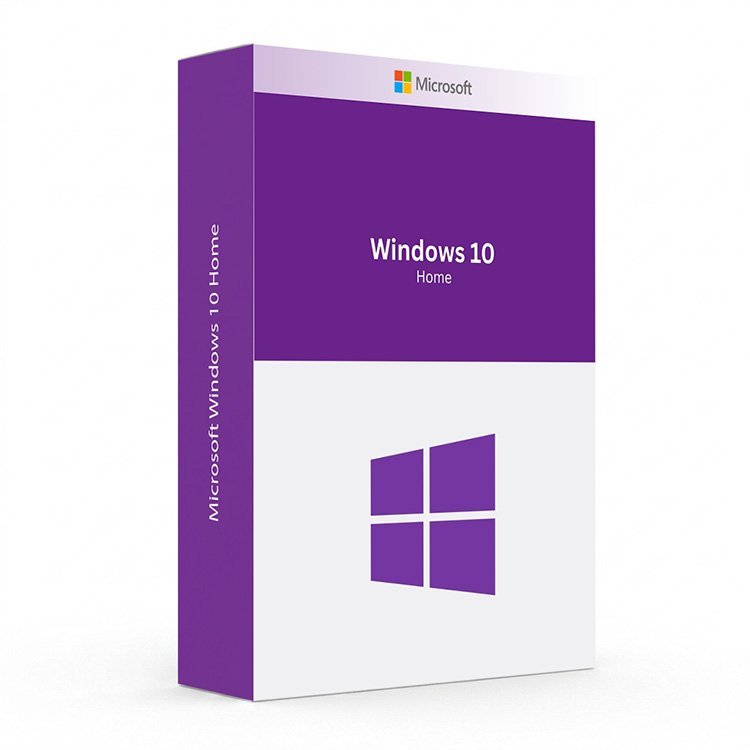
What Is the Microsoft Windows 10 Home Key?
The Microsoft Windows 10 Home Key is a genuine product licence for one of the most popular and widely installed operating systems in history. Built for everyday home users, students, families, and casual gamers, Windows 10 Home delivers a familiar, reliable, and intuitive computing experience across laptops, desktops, and 2-in-1 devices. Please note that Microsoft officially ended support for Windows 10 Home on October 14, 2025, meaning it no longer receives security updates or technical assistance from Microsoft. If your PC meets the hardware requirements, we strongly recommend upgrading to Windows 11 Home for continued security and the latest features. If your hardware does not qualify for Windows 11, a Microsoft Windows 10 Home Key remains a practical and cost-effective solution to activate your existing machine.
Why Buy Your Microsoft Windows 10 Home Key From Us?
At Digi Union, we have been supplying genuine software licence keys to customers across the UK for over two decades. Every Microsoft Windows 10 Home Key we sell is 100% authentic and Microsoft-activated. Your key is delivered instantly to your inbox the moment your payment is confirmed — no physical shipping, no waiting, no hassle.
- Instant Digital Delivery: Receive your Microsoft Windows 10 Home Key by email within minutes of purchase — available 24 hours a day, 7 days a week.
- Genuine Microsoft Licence: Every key is verified and activated directly on Microsoft’s servers, giving you a fully legitimate installation.
- Best Price in the UK: We offer the most competitive prices on genuine software keys with no hidden fees.
- Expert Support: Our team is on hand to help you with installation, activation, and any questions after purchase.
Important Notice — Windows 10 End of Support
Microsoft officially ended support for Windows 10 Home on October 14, 2025. From this date, Windows 10 Home no longer receives security updates, bug fixes, or technical support from Microsoft. Your PC will continue to function normally, but without ongoing security patches it becomes increasingly vulnerable to malware, viruses, and cyber threats over time. We recommend the following:
- If your PC meets the minimum hardware requirements, upgrade to Windows 11 Home for continued security, full Microsoft support, and access to the latest features including Microsoft Copilot.
- If your PC does not meet Windows 11 requirements, consider enrolling in Microsoft’s Extended Security Updates (ESU) programme, which provides additional paid security updates for Windows 10 until October 2026.
- If you are running an older machine that cannot be upgraded, a Microsoft Windows 10 Home Key remains a valid and legitimate activation solution for your existing hardware.
Key Features of Windows 10 Home
- Familiar Start Menu and Interface: The classic Windows Start Menu returns with a modern twist — combining the best of Windows 7 and Windows 8 into a clean, easy-to-navigate desktop experience most users will feel at home with immediately.
- Microsoft Edge Browser: The built-in browser built for speed, security, and compatibility, replacing Internet Explorer and offering seamless integration with Microsoft services.
- Windows Hello (Biometric Sign-In): Sign in securely using facial recognition or fingerprint authentication on compatible devices — faster and safer than traditional passwords.
- Microsoft Defender Antivirus: Built-in, real-time protection against viruses, ransomware, spyware, and other malware threats — no third-party antivirus required.
- Snap Assist and Virtual Desktops: Organise your open windows side by side using Snap Assist, and create separate virtual desktops for different tasks using Task View.
- Cortana (Voice Assistant): A built-in digital assistant that helps you search, set reminders, answer questions, and manage your day using voice or text commands.
- DirectX 12 Gaming Support: Enjoy optimised gaming performance with DirectX 12 support, delivering better frame rates, improved visuals, and lower power consumption on compatible hardware.
- Microsoft Store: Access a growing library of apps, games, and entertainment content from the Microsoft Store, with automatic updates and safe, verified downloads.
- Action Centre and Notifications: A centralised notification panel for managing alerts, quick settings, and system information at a glance.
- Touch and Pen Support: Full support for touchscreen and digital pen input on compatible 2-in-1 devices, including an improved on-screen keyboard and tablet mode.
- OneDrive Integration: Built-in access to Microsoft’s cloud storage service, making it easy to back up files, photos, and documents and access them from any device.
- Continuum (Tablet Mode): Automatically switch between desktop and tablet mode when connecting or disconnecting a keyboard, optimising the interface for touch-based interaction.
Windows 10 Home vs. Windows 10 Pro vs. Windows 11 Home
| Feature | Windows 10 Home | Windows 10 Pro | Windows 11 Home |
|---|---|---|---|
| Microsoft Security Updates | Ended October 14, 2025 | Ended October 14, 2025 | Active and ongoing |
| Microsoft Copilot (AI Assistant) | No | No | Yes |
| Snap Layouts and Virtual Desktops | Basic Snap Assist | Basic Snap Assist | Advanced Snap Layouts |
| Windows Hello | Yes | Yes | Yes (Enhanced) |
| Microsoft Defender Antivirus | Yes | Yes | Yes |
| BitLocker Drive Encryption | No | Yes | No |
| Remote Desktop Hosting | No | Yes | No |
| Hyper-V Virtualization | No | Yes | No |
| DirectStorage and Auto HDR | No | No | Yes |
| TPM 2.0 Required | No | No | Yes |
| Maximum RAM Support | 128 GB | 2 TB | 128 GB |
System Requirements for Windows 10 Home
| Component | Minimum Requirement |
|---|---|
| Processor | 1 GHz or faster, compatible 32-bit or 64-bit CPU |
| RAM | 1 GB (32-bit) or 2 GB (64-bit) |
| Storage | 16 GB (32-bit) or 32 GB (64-bit) available disk space |
| Graphics | DirectX 9 or later, WDDM 1.0 driver |
| Display | 800 x 600 resolution |
| Internet Connection | Required for updates and Microsoft account features |
How to Activate Your Microsoft Windows 10 Home Key
- Complete your purchase and check your email inbox for your Microsoft Windows 10 Home Key — delivery is instant.
- If installing fresh, download the Windows 10 installation media from Microsoft’s official website using the Media Creation Tool.
- Create a bootable USB drive and boot your PC from it, following the on-screen setup wizard.
- When prompted during installation, enter your Microsoft Windows 10 Home Key to activate your licence directly with Microsoft.
- Alternatively, if activating an existing Windows installation, go to Settings, then Update and Security, then Activation, and enter your key there.
- Once activated, run Windows Update to install all available patches up to the October 2025 end-of-support date.
Not Sure Which Windows Is Right for You?
If your PC supports it, upgrading to Windows 11 Home is the best long-term investment for security, performance, and access to the latest Microsoft features including Copilot AI. For users who need advanced business tools such as BitLocker encryption and Remote Desktop, explore our Windows 10 Pro key or upgrade to Windows 11 Pro. Browse our full range of Windows 11 licences, or pair any Windows licence with a genuine Microsoft Office key for the complete Microsoft experience at the best UK price.
Is it still worth buying a Microsoft Windows 10 Home Key?
It depends on your hardware. If your PC does not meet the TPM 2.0 and other requirements for Windows 11, a Microsoft Windows 10 Home Key is a valid and cost-effective way to activate your machine. However, since Microsoft ended support on October 14, 2025, we strongly recommend upgrading to Windows 11 Home if your hardware allows it, to ensure continued security and protection.
Will Windows 10 Home still work after the end of support date?
Yes. Your PC will continue to function normally after October 14, 2025. However, Microsoft will no longer release security updates, bug fixes, or provide technical support. This means your device becomes increasingly vulnerable to new threats over time. If you cannot upgrade to Windows 11, consider enrolling in Microsoft’s paid Extended Security Updates (ESU) programme for an additional year of security patches until October 2026.
Is the Microsoft Windows 10 Home Key I receive genuine?
Yes. Every Microsoft Windows 10 Home Key sold at Digi Union is 100% genuine and Microsoft-authorised. Your key activates directly on Microsoft’s servers, confirming it as a fully legitimate licence with no risk of deactivation.
How will I receive my Microsoft Windows 10 Home Key?
Your key is delivered instantly to your email address upon confirmed payment. There is no physical shipping and no waiting — you can begin your installation or activation within minutes of completing your purchase, 24 hours a day, 7 days a week.
What is the difference between Windows 10 Home and Windows 10 Pro?
Windows 10 Home covers everything the average home user needs — a familiar interface, Windows Defender security, gaming support, Microsoft Edge, and OneDrive integration. Windows 10 Pro adds business-grade tools including BitLocker drive encryption, Remote Desktop hosting, Hyper-V virtualization, Windows Sandbox, and Group Policy management. If you only need a personal home computing experience, Windows 10 Home is the right choice.
Can I upgrade from Windows 10 Home to Windows 11 Home using this key?
No. A Windows 10 Home Key activates Windows 10 Home only. To upgrade to Windows 11 Home, you would need a separate Windows 11 Home licence key. However, if your PC already runs a genuine Windows 10 Home installation and meets the hardware requirements for Windows 11, the upgrade may be available for free via Windows Update.
Is Microsoft Office included with the Microsoft Windows 10 Home Key?
No. Microsoft Office is not included with Windows 10 Home and must be purchased separately. Visit our Microsoft Office page to find the right Office edition at the best UK price, with instant digital delivery included.


Reviews
There are no reviews yet.