
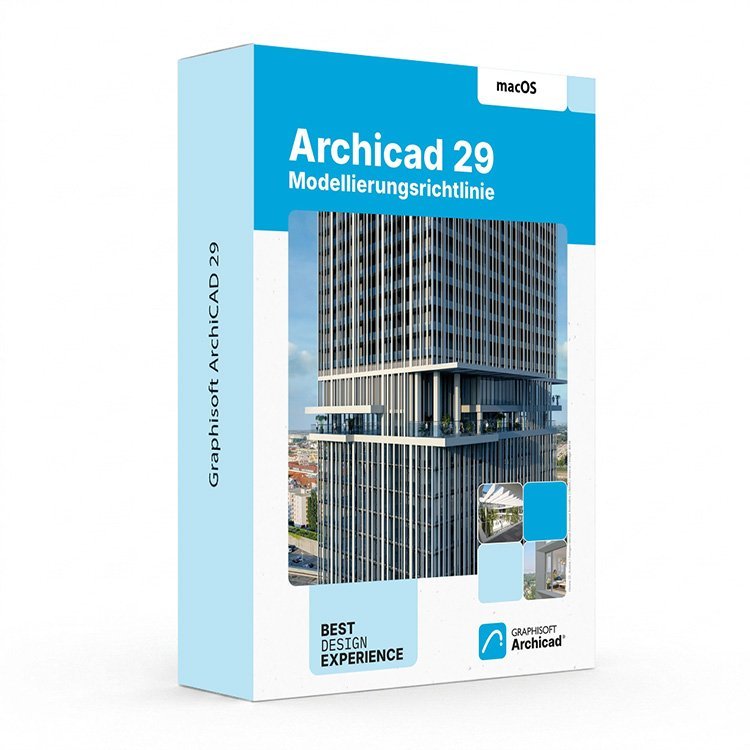
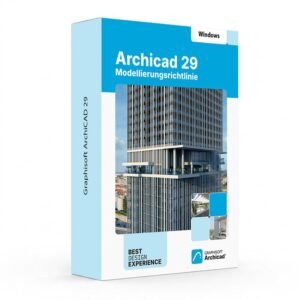
Graphisoft Archicad 29 for Mac – UK Digital BIM Licence
Graphisoft Archicad 29 for Mac is a professional BIM software solution designed for architects, designers, BIM specialists, students and building professionals who need powerful tools for architectural design, 3D building modelling, documentation, visualisation and project coordination on macOS.
Archicad 29 helps users create accurate building models, floor plans, sections, elevations, construction documentation and architectural presentations within one integrated BIM workflow. It is suitable for concept design, residential projects, commercial buildings, interior layouts, renovation workflows and architectural documentation.
For a complete design setup, you can also explore our Graphisoft Archicad licences, compare related Autodesk software, or combine your workflow with productivity tools from our Microsoft Office licences category.
Important Notice About Archicad 29 for macOS
Graphisoft Archicad 29 for Mac is designed for compatible macOS systems. Before purchasing, make sure your Mac meets the required operating system, processor, memory, storage and display requirements for Archicad 29.
For best performance on modern Mac devices, Apple silicon Macs such as M1, M2, M3 or M4 are recommended depending on project size. Larger BIM models, high-rise buildings, hospitals and complex commercial projects may require more RAM and stronger hardware.
Why Choose Graphisoft Archicad 29 for Mac?
- Professional BIM software for architects and building designers
- Designed for architectural design, 3D modelling and construction documentation
- Suitable for macOS users and modern Apple silicon Mac devices
- Useful for floor plans, sections, elevations, layouts and 3D building models
- Supports BIM-based workflows for better project coordination
- Ideal for students, architects, designers and BIM learning projects
- Digital delivery by email after order confirmation
- Activation instructions included
- Installation and activation support available when needed
Key Features of Archicad 29
- BIM Building Design: Create intelligent building models that connect 2D drawings, 3D views, schedules and documentation in one workflow.
- Architectural Modelling: Design walls, slabs, roofs, doors, windows, stairs, zones, interiors and building elements with professional BIM tools.
- 2D and 3D Documentation: Generate floor plans, sections, elevations, details, schedules and construction documents from your BIM model.
- Visualisation Tools: Present your design ideas using 3D views, materials, surfaces and visual communication tools.
- Project Coordination: Improve collaboration between architects, engineers and project stakeholders using BIM-based design information.
- OPEN BIM Workflow: Work with open file exchange workflows for better coordination across architecture, engineering and construction teams.
- macOS Workflow: Use Archicad on compatible Mac devices with a workflow designed for Apple users.
- Learning and Training: Suitable for students and personal learning projects who want to practise professional BIM design.
Archicad 29 for Mac vs Autodesk Revit, AutoCAD and SOLIDWORKS
Graphisoft Archicad 29 for Mac is mainly focused on architecture and BIM design. It is a strong choice for users who need building models, floor plans, architectural documentation and design coordination. Other software may be better depending on the type of project you want to create.
| Software | Best For | Main Use |
|---|---|---|
| Graphisoft Archicad 29 | Architects, BIM designers and building professionals | Architectural BIM modelling, floor plans, sections, elevations and construction documentation |
| Autodesk Revit | BIM teams, architects, engineers and construction professionals | BIM modelling, multidisciplinary coordination, building documentation and construction workflows |
| Autodesk AutoCAD | Architects, engineers and CAD technicians | 2D drafting, DWG drawings, technical plans and CAD documentation |
| Autodesk 3ds Max | Visualisation artists and 3D designers | 3D modelling, rendering, animation and architectural visualisation |
| SOLIDWORKS | Mechanical engineers and product designers | 3D mechanical CAD, parts, assemblies and manufacturing drawings |
Which Software Should You Choose?
- Choose Graphisoft Archicad 29 for Mac if you need BIM software for architectural design, building modelling and documentation on macOS.
- Choose Autodesk Revit if your workflow is focused on multidisciplinary BIM coordination and Revit-based project environments.
- Choose Autodesk AutoCAD if you mainly need 2D drafting, DWG plans and technical CAD drawings.
- Choose Autodesk 3ds Max if your main focus is advanced 3D visualisation, rendering and animation.
- Choose SOLIDWORKS if you need mechanical product design, parts, assemblies and manufacturing drawings.
Recommended Products
- Graphisoft Archicad – explore more Archicad versions for BIM and architectural design.
- Autodesk Software – compare AutoCAD, Revit, 3ds Max, Maya, Inventor and other Autodesk tools.
- Autodesk Revit – suitable for BIM modelling, architecture and construction coordination.
- Microsoft Office – useful for project documents, spreadsheets, reports and client presentations.
- Antivirus & Security Software – recommended for safer browsing and device protection.
System Requirements for Graphisoft Archicad 29 for Mac
| Component | Recommended |
|---|---|
| Platform | Mac computer |
| Operating System | macOS 26 Tahoe, macOS 15 Sequoia or macOS 14 Sonoma |
| Processor | Apple M1 or better for entry-level projects; Apple M2, M3, M4 or higher recommended for larger projects |
| Memory | 16 GB RAM recommended for smaller projects; 32 GB or more recommended for larger BIM projects |
| Storage | NVMe SSD recommended with at least 5 GB of free space |
| Display | FHD+ 1920 x 1080 or higher recommended |
| Internet | Required for download, activation, Graphisoft ID, licence management and updates |
Delivery and Activation
- Product: Graphisoft Archicad 29 for Mac
- Platform: macOS
- Licence Type: Digital licence
- Use Type: Educational, personal and non-commercial use
- Delivery Method: Digital delivery by email
- Activation: Activation instructions provided after purchase
- Support: Installation and activation assistance available
How to Get Started
- Complete your order for Graphisoft Archicad 29 for Mac.
- Receive your product details and activation instructions by email.
- Check that your Mac meets the Archicad 29 system requirements.
- Download and install Archicad 29 on your compatible macOS device.
- Sign in or create your Graphisoft account when required.
- Follow the provided activation steps to activate your licence.
- Restart Archicad if required and begin your BIM design workflow.
- Contact our support team if you need help with installation or activation.
Who Is Graphisoft Archicad 29 for Mac For?
- Architecture students
- Architects and designers
- BIM learners and training users
- Interior designers
- Building design professionals
- Users who need architectural BIM software on macOS
- Users working on floor plans, 3D building models and construction documentation
Important Licence Information
This Graphisoft Archicad 29 for Mac licence is intended for educational, personal and non-commercial use. It is suitable for learning, training and personal BIM projects. It should not be used for commercial, industrial or professional client work unless your licence type clearly allows commercial use.
Before purchasing, please make sure your Mac is compatible with Archicad 29 and that this licence type matches your intended use.
What is Graphisoft Archicad 29 for Mac?
Graphisoft Archicad 29 for Mac is professional BIM software for architectural design, 3D building modelling, documentation and project coordination on compatible macOS devices.
Does Archicad 29 work on Apple silicon Macs?
Yes. Archicad 29 is suitable for modern Apple silicon Macs. Apple M1 is suitable for entry-level projects, while stronger Apple silicon chips and more RAM are recommended for larger BIM projects.
Which macOS versions are supported by Archicad 29?
Graphisoft lists macOS 26 Tahoe, macOS 15 Sequoia and macOS 14 Sonoma as supported for Archicad 29. macOS 13 Ventura may be installable but is not recommended as a supported system.
Is Archicad better than Revit?
It depends on your workflow. Archicad is a strong choice for architectural BIM design, especially for users who prefer the Archicad environment and Mac workflow. Revit is often used in multidisciplinary BIM environments and Autodesk-based workflows.
Is Archicad similar to AutoCAD?
No. Archicad is BIM software for 3D building models and architectural documentation. AutoCAD is mainly used for 2D drafting, DWG drawings and general CAD documentation.
Can I use this licence for commercial projects?
This product is described as an educational licence for personal, learning and non-commercial use. Commercial use requires a licence type that allows commercial work.
How will I receive my Archicad 29 for Mac licence?
Your product details and activation instructions will be delivered digitally by email after order confirmation.
Do you provide installation support?
Yes. Installation and activation support is available if you need help setting up Graphisoft Archicad 29 for Mac.


Reviews
There are no reviews yet.