
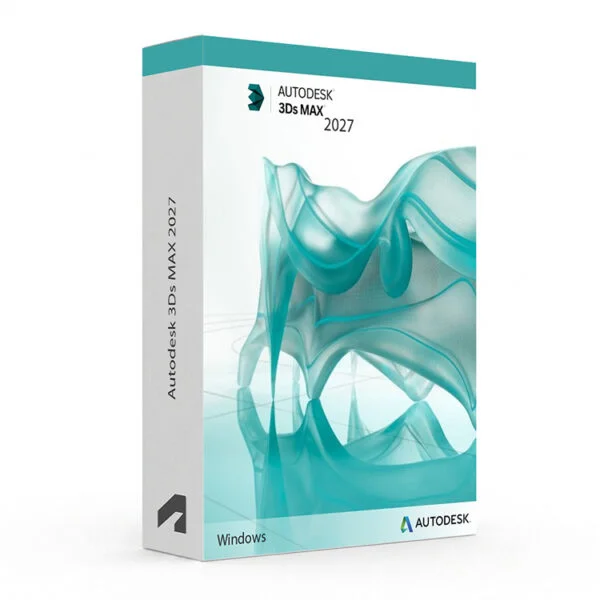
Autodesk 3ds Max 2024–2027 for Windows – Digital 3D Modelling Licence
Autodesk 3ds Max 2024–2027 for Windows is a professional 3D modelling, animation, rendering and visualisation software solution designed for users who need powerful tools for architectural visualisation, product design, game asset creation, visual effects, motion graphics and creative 3D content production on a Windows PC. It provides a comprehensive 3D workflow for modelling, texturing, rigging, animation and high-quality rendering.
With Autodesk 3ds Max, users can create detailed 3D models, realistic visualisations and professional animations using powerful modelling tools, procedural workflows, modifiers, materials, lighting and rendering technologies. Whether you are working on architectural interiors, product designs, game environments, visual effects or animated content, 3ds Max provides a professional-grade 3D production environment for Windows.
This product includes access to the selected 3ds Max version according to the licence and activation method supplied with your order. Please check the selected version before purchasing.
Important Notice About Autodesk 3ds Max 2024–2027
Autodesk 3ds Max is designed for Windows computers and is not available as a native macOS application. Before purchasing, make sure your computer meets the system requirements for the specific 3ds Max version you intend to install.
Different 3ds Max releases may have different hardware and operating system requirements. We recommend checking compatibility before installation, particularly when working with complex scenes, high-resolution textures or advanced rendering workflows.
Why Choose Autodesk 3ds Max?
- Professional 3D modelling, animation, rendering and visualisation software
- Designed for architectural visualisation, product design, game development and VFX
- Powerful polygon, spline and procedural modelling workflows
- Flexible modifier-based workflow for non-destructive modelling
- Advanced animation, rigging and character tools
- Professional rendering and lighting capabilities
- Extensive material, texture and shading tools
- Particle, simulation and visual effects capabilities
- Support for professional 3D production workflows
- Compatible with a wide range of industry-standard 3D file formats
- Suitable for professional learning, design and visualisation workflows
- Digital delivery with activation instructions
- Installation and activation support available when required
Key Features of Autodesk 3ds Max
- 3D Modelling Tools: Create detailed and complex 3D models using polygon, spline and procedural modelling tools combined with a comprehensive collection of modifiers and editing functions.
- Modifier Stack: Apply, adjust, reorder and remove modelling operations using the non-destructive modifier stack, allowing flexible iteration throughout the design process.
- Animation System: Create object, camera and character animations using keyframes, animation controllers, motion paths and professional animation tools.
- Rigging and Skinning: Build character rigs and connect 3D geometry to animation systems for creating realistic character and object movement.
- Rendering: Produce high-quality images and animations using professional rendering workflows, lighting systems and physically based materials.
- Materials and Shading: Create realistic or stylised surfaces using advanced material editors, procedural maps, textures and shading tools.
- Particle and Effects Systems: Create dynamic effects and simulations for particles, fluids, cloth and other animated visual effects depending on the installed version and available tools.
- Architectural Visualisation: Create detailed interior and exterior architectural scenes with realistic cameras, lighting, materials and rendering workflows.
- Scene Management: Organise complex scenes using layers, grouping, scene management and reference workflows for efficient production.
- Scripting and Automation: Use scripting capabilities to automate repetitive tasks, customise workflows and extend the functionality of 3ds Max.
- Interoperability: Import and export common 3D formats such as FBX and OBJ to exchange assets with other applications and production pipelines.
- Viewport Workflow: Work efficiently with complex scenes using real-time viewport features, shading previews and professional scene navigation tools.
3ds Max vs Maya, Blender, Cinema 4D and SketchUp
Autodesk 3ds Max is a strong choice for architectural visualisation, product design, modelling, rendering and game asset creation. Autodesk Maya is particularly popular for character animation and VFX, Blender provides a free open-source alternative, Cinema 4D is widely used for motion graphics, while SketchUp is focused more on accessible architectural and interior design workflows.
| Software | Best For | Main Use |
|---|---|---|
| 3ds Max | Architectural visualisation artists, product designers and 3D artists | 3D modelling, rendering, animation, architectural visualisation and game asset production |
| Autodesk Maya | Character animators, VFX artists and film/game production teams | Character animation, rigging, VFX, simulation and production pipelines |
| Blender | Students, indie artists and freelancers | 3D modelling, sculpting, animation, rendering, compositing and video editing |
| Cinema 4D | Motion graphics artists and broadcast designers | Motion graphics, 3D animation and broadcast design |
| SketchUp | Architects and interior designers | Conceptual architectural modelling and interior design |
Which Software Should You Choose?
- Choose Autodesk 3ds Max if you need a professional 3D modelling, rendering and animation platform for architectural visualisation, product design or game asset creation.
- Choose Autodesk Maya if your primary focus is character animation, rigging, VFX and film or game production.
- Choose Blender if you need a free and open-source 3D modelling and animation solution.
- Choose Cinema 4D if your main focus is motion graphics and broadcast-oriented 3D production.
- Choose SketchUp if you need an easier 3D tool for architectural concepts and interior design layouts.
Recommended Products
- Autodesk Software – explore AutoCAD, Revit, Maya, Inventor and other Autodesk products.
- Autodesk 3ds Max – explore available 3ds Max versions for Windows.
- Autodesk Maya – suitable for character animation, VFX and film production.
- Autodesk AutoCAD – suitable for 2D drafting and technical design workflows.
System Requirements for Autodesk 3ds Max
System requirements can vary between 3ds Max releases. Make sure your Windows computer meets the requirements for the exact version selected before installation.
| Component | Recommended Requirement |
|---|---|
| Platform | Windows PC |
| Operating System | Compatible 64-bit Microsoft Windows version supported by the selected 3ds Max release |
| Processor | 64-bit Intel or AMD multi-core processor; a faster multi-core CPU is recommended for complex scenes and rendering |
| Memory | 16 GB RAM or more recommended for professional projects and complex scenes |
| Display | 1920 × 1080 display or higher recommended |
| Graphics | Dedicated DirectX-compatible GPU recommended for professional viewport performance and rendering workflows |
| Storage | SSD recommended, with sufficient free space for the software, project files, textures and cache |
| Pointing Device | Three-button mouse recommended for efficient 3D viewport navigation |
| Internet | Internet connection may be required for download, installation, sign-in, activation and updates depending on the licence type |
Delivery and Activation
- Product: Autodesk 3ds Max 2024–2027 for Windows
- Platform: Windows PC
- Licence Type: Digital licence according to the selected product offer
- Version: 2024, 2025, 2026 or 2027 according to the selected option
- Delivery Method: Digital delivery by email
- Activation: Activation instructions provided after purchase
- Support: Installation and activation assistance available when required
How to Get Started
- Complete your order for the selected Autodesk 3ds Max version.
- Receive your product details and activation instructions by email.
- Check that your Windows computer meets the requirements for your selected version.
- Download the appropriate 3ds Max installer.
- Install Autodesk 3ds Max on your compatible Windows computer.
- Sign in with the Autodesk account or use the activation method supplied with your order.
- Follow the provided activation instructions to complete the setup.
- Launch 3ds Max and begin your modelling, animation and rendering workflow.
- Contact our support team if you require assistance with installation or activation.
Who Is Autodesk 3ds Max For?
- 3D design students and learners
- Architectural visualisation artists
- Interior designers
- Product and industrial designers
- Game asset and environment artists
- Motion graphics artists
- VFX and animation learners
- 3D modelling and rendering professionals
- Users who need a comprehensive professional 3D production environment on Windows
Important Licence Information
Please review the licence type, usage rights and activation conditions included with the specific product offer before purchasing. Licence rights can vary depending on the edition, activation method and intended use.
This product should only be used in accordance with the applicable Autodesk licence terms and the rights provided with your purchase. Commercial, educational, personal and other licence types may have different usage restrictions.
Before purchasing, please make sure that the selected version and licence type meet your intended use and that your Windows computer is compatible with the software.
What is Autodesk 3ds Max?
Autodesk 3ds Max is professional 3D modelling, animation, rendering and visualisation software used for architectural visualisation, product design, game assets, VFX, motion graphics and other 3D production workflows.
Which versions of 3ds Max are available?
This product offer covers Autodesk 3ds Max versions 2024, 2025, 2026 and 2027. The exact version supplied depends on the option selected when placing the order.
Does 3ds Max work on Windows 11?
Compatible versions of Autodesk 3ds Max support 64-bit Windows systems, including supported Windows 11 configurations. Please check the requirements for the exact version before installation.
Does 3ds Max work on Windows 10?
Support for Windows 10 depends on the specific 3ds Max release. Please check the official system requirements for the version you intend to install.
Does Autodesk 3ds Max work on Mac?
3ds Max is designed for Windows and is not available as a native macOS application.
What is the difference between 3ds Max and Maya?
3ds Max is particularly popular for architectural visualisation, modelling, product design and game asset workflows. Maya is widely used for character animation, rigging, VFX and film and game production.
Can I use 3ds Max for architectural visualisation?
Yes. 3ds Max is widely used for architectural visualisation, including interior and exterior scenes, lighting, materials, cameras and high-quality rendering.
Can I use 3ds Max for game asset creation?
Yes. 3ds Max can be used to create game environments, props, characters and other 3D assets that can be exported to compatible game development workflows.
What is the modifier stack in 3ds Max?
The modifier stack is a non-destructive modelling workflow that allows users to apply, modify, reorder and remove operations from 3D objects without permanently changing the original geometry.
Can I use this product for commercial projects?
Commercial usage depends on the licence type supplied with the specific product offer. Please verify the licence terms before using the software for commercial or client work.
How will I receive my product?
Product details and activation instructions are delivered digitally by email after order confirmation, according to the terms of the selected offer.
Do you provide installation support?
Yes. Installation and activation assistance is available if you need help setting up Autodesk 3ds Max on your compatible Windows computer.


Reviews
There are no reviews yet.