
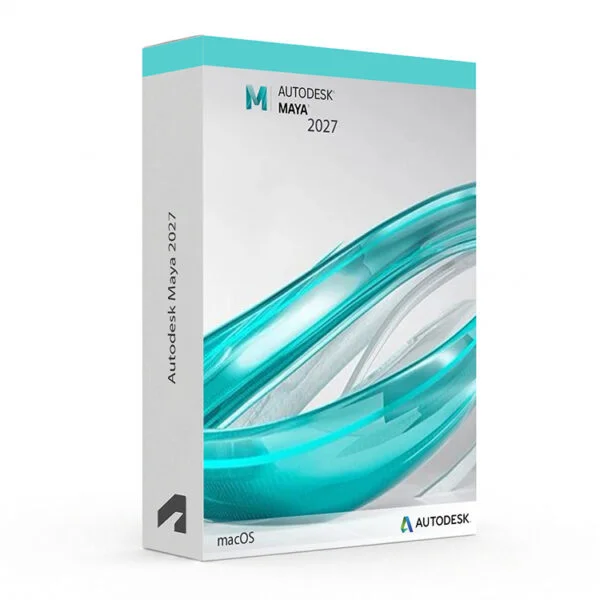
Autodesk Maya 2024-2027 for Mac – UK Digital 3D Animation Licence
Autodesk Maya 2024-2027 for Mac is professional 3D animation, modelling, simulation, visual effects and rendering software designed for artists, animators, game developers, visual effects professionals, 3D designers and students working on a Mac. Maya provides a comprehensive environment for creating 3D characters, environments, props, animations, simulations, visual effects and rendered scenes.
Autodesk Maya combines advanced modelling, rigging, animation, simulation, effects and rendering tools into one professional 3D production workflow. Autodesk officially supports Maya on Apple macOS, including both Apple Silicon and Intel-based Mac computers for supported releases.
For a complete creative setup, you can also explore our Autodesk software, compare related Autodesk Maya products, or choose Autodesk 3ds Max if your workflow is focused on architectural visualisation, design visualisation and 3D modelling.
Important Notice About Autodesk Maya 2024-2027 for Mac
Autodesk Maya is available for supported Windows, macOS and Linux systems. This product is specifically for Mac users. Autodesk’s current Maya 2027 requirements list Apple macOS 26.x, 15.x and 14.x, with support for both Apple Silicon arm64 and Intel x86 processors.
This product is suitable for personal learning, training and non-commercial 3D animation, modelling and visual effects projects. If you need Maya for commercial, studio or professional client work, make sure your licence type clearly allows commercial use.
Why Choose Autodesk Maya 2024-2027 for Mac?
- Professional 3D animation and visual effects software for Mac users
- Designed for 3D modelling, animation, character creation, simulation and rendering
- Advanced tools for polygon modelling, sculpting and 3D asset creation
- Professional character rigging and animation workflows
- Powerful Bifrost tools for procedural effects and simulations
- Arnold renderer integration for professional production rendering
- Useful for film, television, games, advertising and visual effects production
- Python and scripting support for workflow customisation and automation
- Supports compatible Apple Silicon and Intel Mac computers
- Lifetime access according to this product offer
- Digital delivery by email after order confirmation
- Activation instructions included
- Installation and activation support available when needed
Key Features of Autodesk Maya 2024-2027
- 3D Modelling: Create detailed 3D characters, props, environments and production assets using polygon, subdivision, NURBS and sculpting workflows.
- Character Animation: Create sophisticated character animations using keyframes, animation curves, constraints, deformers and professional animation tools.
- Rigging: Build character and object rigs using joints, skinning, deformers and advanced rigging workflows.
- UV Editing: Create, modify and optimise UV maps for accurate texturing and detailed 3D asset production.
- Motion Graphics: Create dynamic animated content and motion graphics using Maya’s animation and procedural tools.
- Bifrost: Create procedural effects, environments and simulations using Maya’s visual programming environment.
- Simulation and Effects: Create effects such as fire, destruction, liquids, waves, particles and rigid-body simulations with Bifrost. :contentReference[oaicite:2]{index=2}
- Arnold Rendering: Produce professional-quality renders using Arnold, which is integrated with Maya for production rendering workflows. :contentReference[oaicite:3]{index=3}
- MotionMaker: Generate and direct character motion using Maya’s MotionMaker tools, including support for human, canine and horse motion in Maya 2027. :contentReference[oaicite:4]{index=4}
- OpenUSD Workflows: Work with OpenUSD assets and modern production-pipeline workflows for complex 3D projects.
- Look Development: Create and manage materials using LookdevX and modern material-authoring workflows.
- Python Scripting: Create scripts and plugins using Python 3 to customise and automate Maya workflows.
Autodesk Maya 2024-2027 vs 3ds Max, Blender, Cinema 4D and Houdini
Autodesk Maya 2024-2027 is particularly well suited to professional animation, character creation, visual effects and film/game production. 3ds Max is widely used for architectural visualisation and design visualisation, Blender provides an all-in-one open-source 3D workflow, Cinema 4D is popular for motion graphics, while Houdini is particularly strong in procedural effects and simulation.
| Software | Best For | Main Use |
|---|---|---|
| Autodesk Maya 2024-2027 | Animators, VFX artists, game developers and 3D artists | 3D modelling, character animation, rigging, simulation, visual effects and rendering |
| Autodesk 3ds Max | Architectural visualisation, designers and 3D artists | 3D modelling, rendering, visualisation, animation and design workflows |
| Blender | 3D artists, independent creators and animation learners | 3D modelling, animation, sculpting, simulation, rendering and compositing |
| Cinema 4D | Motion graphics artists and visual designers | Motion graphics, animation, modelling, rendering and visual effects |
| Houdini | VFX artists, technical artists and simulation specialists | Procedural modelling, simulations, visual effects and complex procedural workflows |
Which Software Should You Choose?
- Choose Autodesk Maya 2024-2027 for Mac if you need professional tools for 3D animation, character rigging, modelling, visual effects, simulation and rendering on macOS.
- Choose Autodesk 3ds Max if your workflow is mainly focused on architectural visualisation, design visualisation and general 3D modelling.
- Choose Blender if you want a free and open-source 3D creation platform for modelling, animation, simulation and rendering.
- Choose Cinema 4D if your main focus is motion graphics, visual design and animation.
- Choose Houdini if you need advanced procedural modelling, simulations and visual effects workflows.
Recommended Products
- Autodesk Software – compare Maya, 3ds Max, AutoCAD, Inventor, Revit and other Autodesk tools.
- Autodesk Maya – explore Maya versions and related products.
- Autodesk 3ds Max – suitable for 3D modelling, visualisation, animation and rendering.
- Autodesk Software – explore additional professional design and creative applications.
- macOS Licences – suitable if you need compatible Mac software and operating system products.
- Microsoft Office – useful for project documents, presentations and production documentation.
System Requirements for Autodesk Maya 2024-2027 for Mac
| Component | Requirement |
|---|---|
| Platform | Mac computer |
| Operating System | Compatible Apple macOS version for the selected Maya release; Maya 2027 supports macOS 26.x, 15.x and 14.x |
| Processor | For macOS: Apple Silicon arm64 or Intel x86 processor |
| Memory | Minimum: 8 GB RAM; recommended: 16 GB RAM or more |
| Display | High-resolution display recommended for professional 3D workflows |
| Graphics | Compatible Mac graphics hardware; Autodesk-certified hardware recommended for professional workflows |
| Storage | At least 7 GB of free disk space for Maya 2027 installation |
| Pointing Device | Three-button mouse |
| Internet | Required for download, installation, sign-in, activation, updates and Autodesk account access |
Autodesk’s official Maya 2027 requirements list macOS 26.x, 15.x and 14.x, support for Apple Silicon arm64 and Intel x86, 8 GB RAM minimum with 16 GB or more recommended, and 7 GB of free disk space for installation.
Delivery and Activation
- Product: Autodesk Maya 2024-2027 for Mac
- Platform: Mac / macOS
- Licence Type: Digital licence
- Use Type: Educational, personal and non-commercial use
- Licence Duration: Lifetime access according to this product offer
- Versions: Autodesk Maya 2024, 2025, 2026 and 2027
- Delivery Method: Digital delivery by email
- Activation: Activation instructions provided after purchase
- Support: Installation and activation assistance available
How to Get Started
- Complete your order for Autodesk Maya 2024-2027 for Mac.
- Receive your product details and activation instructions by email.
- Choose the compatible Maya version you want to install from the available 2024-2027 versions.
- Check that your Mac meets the Maya system requirements for the selected version.
- Download and install Autodesk Maya on your compatible Mac computer.
- Sign in with the Autodesk account or activation method provided with your order.
- Follow the activation instructions to complete setup.
- Configure your preferred Maya workspace and rendering settings.
- Begin creating your 3D models, animations, simulations and visual effects.
- Contact our support team if you need help with installation or activation.
Who Is Autodesk Maya 2024-2027 for Mac For?
- 3D animation students and training users
- Character artists and animators
- Game developers and game artists
- Visual effects artists
- 3D modelling and sculpting users
- Film and television production users
- Motion graphics and visual design artists
- Users working with character rigging and animation
- Users creating simulations, effects and procedural content
- Users who need professional 3D rendering workflows on macOS
Important Licence Information
This Autodesk Maya 2024-2027 for Mac licence is intended for educational, personal and non-commercial use. It is suitable for learning, training and personal 3D animation, modelling and visual effects projects. It should not be used for commercial, studio or professional client work unless your licence type clearly allows commercial use.
Before purchasing, please make sure your Mac is compatible with the selected Maya version and that this licence type matches your intended use.
What is Autodesk Maya 2024-2027 for Mac?
Autodesk Maya 2024-2027 for Mac is professional 3D software for modelling, animation, character rigging, visual effects, simulation and rendering on compatible Mac computers.
What can I use Autodesk Maya for?
Maya can be used for 3D modelling, character creation, animation, rigging, visual effects, simulations, procedural content and professional rendering.
Does Autodesk Maya 2024-2027 work on Mac?
Yes. Autodesk Maya supports macOS, including Apple Silicon and Intel-based Mac computers for supported releases. Maya 2027 officially supports macOS 26.x, 15.x and 14.x. :contentReference[oaicite:6]{index=6}
Does Autodesk Maya work on Apple Silicon Mac?
Yes. Autodesk lists Apple Silicon arm64 support for Maya 2027, in addition to Intel x86 Mac systems. :contentReference[oaicite:7]{index=7}
What is the difference between Maya and 3ds Max?
Maya is particularly focused on animation, character creation, visual effects and production workflows, while 3ds Max is widely used for 3D modelling, design visualisation, architectural visualisation and animation.
Does Maya include rendering tools?
Yes. Maya integrates Arnold for professional production rendering and provides tools for creating rendered 3D scenes. :contentReference[oaicite:8]{index=8}
Does Maya support character animation?
Yes. Maya provides professional animation and rigging tools for creating and animating characters and other 3D objects.
Does Maya include simulation and visual effects tools?
Yes. Maya includes Bifrost tools for procedural effects and simulations, including liquids, particles, rigid bodies and other visual effects. :contentReference[oaicite:9]{index=9}
Can I use this licence for commercial projects?
This product is described as an educational licence for personal, learning and non-commercial use. Commercial use requires a licence type that allows commercial work.
Which Maya versions are included?
This product offer covers Autodesk Maya 2024, 2025, 2026 and 2027 for Mac.
How will I receive my Autodesk Maya licence?
Your product details and activation instructions will be delivered digitally by email after order confirmation.
Do you provide installation support?
Yes. Installation and activation support is available if you need help setting up Autodesk Maya on your compatible Mac computer.



Reviews
There are no reviews yet.